100 Days of Boot.dev
Vosram
February 4, 2026
programming
web dev
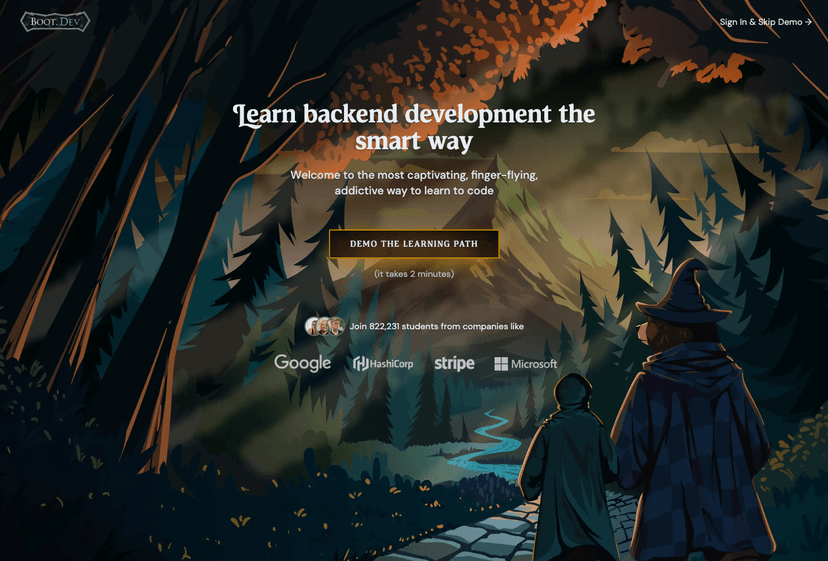
So I’ve survived over 100 days of Boot.dev. In this time, I have finished 12 courses out of the main 23 courses. I think I can now confidently give an initial review.
Where I Started
So to be frank, I already had a few years of experience as a self-taught full stack developer when I started the Boot.dev course. Before this I had undergone The Odin Project to learn web dev from 0. In The Odin Project, I learned Javascript, React, Node.js, and Postgres to build full stack applications through a hands on project based learning method. This was a great way to learn both programming and web dev, but I felt my skills were very flaky.
Keep in mind, The Odin Project doesn’t have any tests to know if you passed a lesson. They only have project requirements and you have to get these requirements to be fullfilled however you can by googling and reading documentation. You do get some lessons that introduce ideas but it’s up to you to judge when you fully grasp these concepts and are able to implement them properly.
So as you can imagine, there is a sense of doubt in your own abilities because there isn’t an interactive way to test your skills and have someone else validate your work.
Where Boot.dev Shines
Boot.dev is an online interactive learning platform that teaches programming and backend web development from scratch. This solves one of the shortcommings of The Odin Project where you might get things working but are left wondering if your code is “good” or follows best practices. In Boot.dev, each of these interactive lessons validate that your code works, and they allow you to see the “Official” solution after you’ve submitted your code to get a feel for how someone else would write the solution.
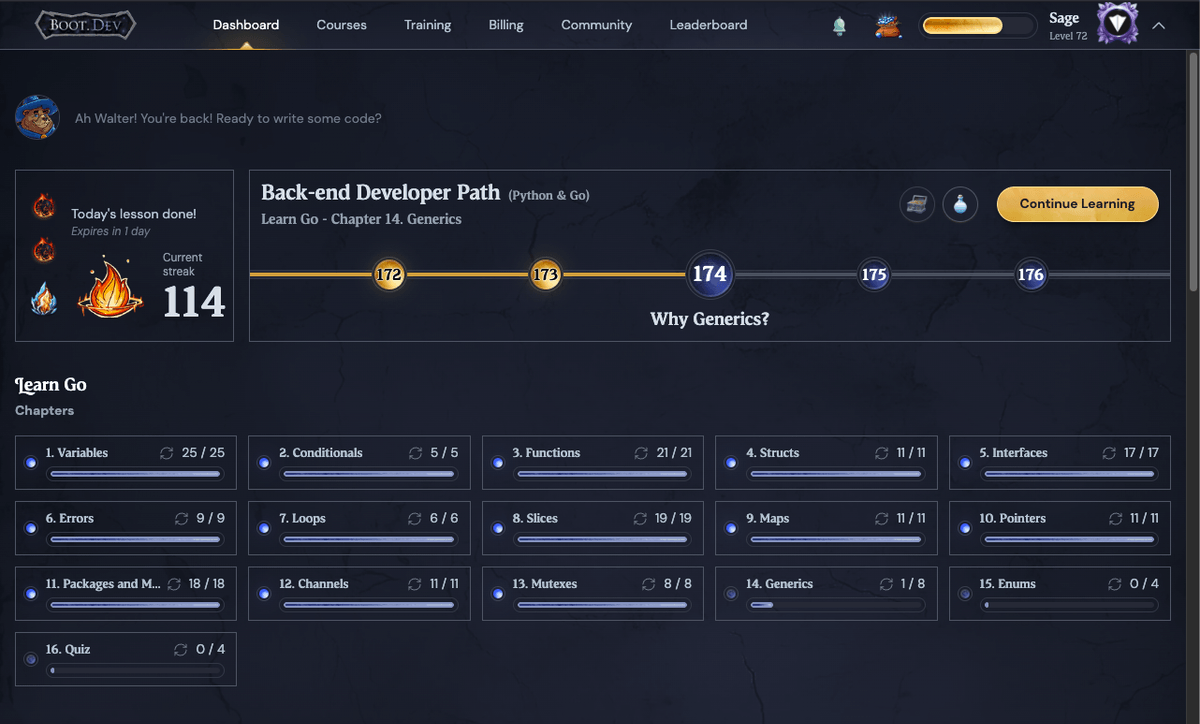
To be honest, gamified learning platforms kinda gave me the ick usually but I found that Boot.dev implemented this aspect nicely. It is really engaging and as of writing this I have a 114 day streak in part because the gamified features encourage me to consistenly show up for a lesson or a code practice.
Does It Really Work
It’s hard for me to tell you if this platform would work for complete beginners. As I was not a beginner, I speedran a lot of the first courses like “Learn To Code in Python”, “Learn Linux”, and up to Course 7. “Learn Functional Programming in Python”. For me these first courses were reviews of stuff I had already learned before.
That said, I think it actually could work for complete beginners because the courses go through a new concept in each lesson, each building on top of past lessons. Sometimes though, especially for beginners, you might pass the lesson’s code practice but that may not be enough to fully understand what is going on. Thankfully, there is a great feature in each lesson that allows you to create a similar code practice in the platform’s “Training Grounds”.
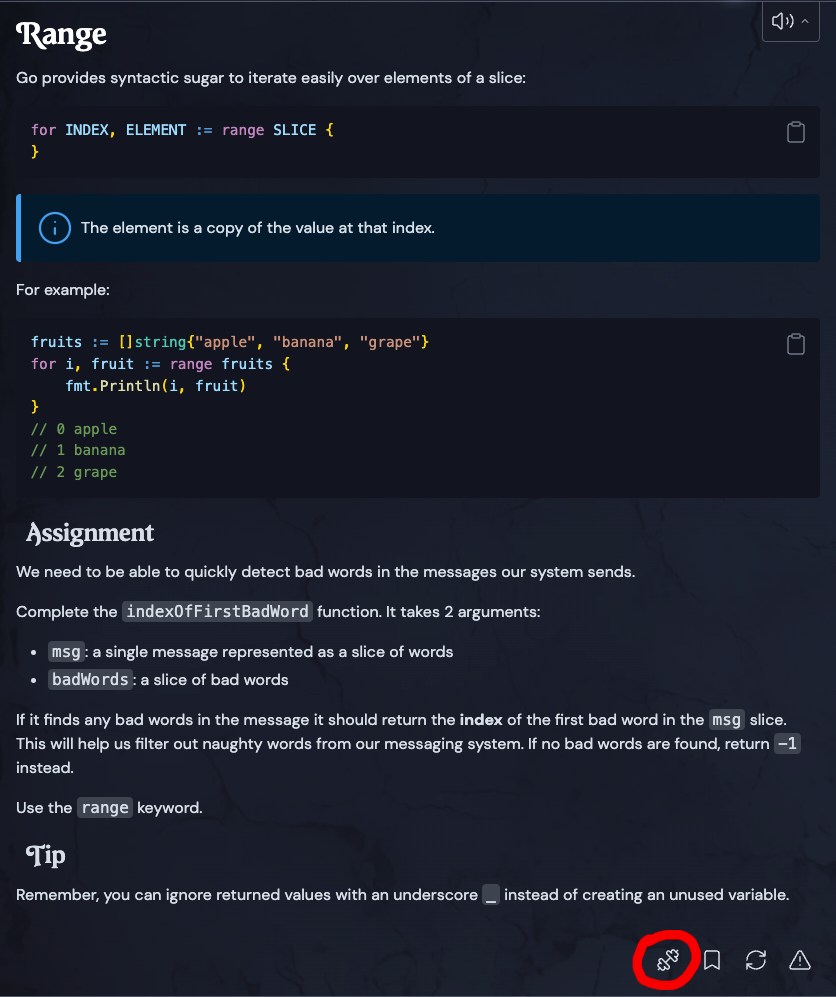
These customized code practices help boost a beginners knowledge and understanding of programming concepts. Especially in the absence of hands-on development of personal projects, which when you’re brand new to programming, it’s kinda hard to have the inspiration and skills to create your own projects. This is also interestingly addressed in other aspects of the course, but I’ll get to that later.
How To Get Unstuck
In my journey learning programming with The Odin Project, I ended up getting stuck many times, sometimes for weeks, on certain lessons. This was before AI, back in 2020. So I would go through YT video after another, google search after google search, and sometimes had to move on to other lessons until something clicked in my understanding that would let me come back to the lesson I got stuck on and solve it.
There are two ways to get unstuck in Boot.dev lessons, one I don’t recommend using ever, and the other is Boots.
Seer stones
This is a credit token that allows you to peek at the official solution before you solve it. Obviously for those situations where you’re completely stuck, it might be helpful. But through this you don’t allow your brain to exercise the muscles needed to become a problem solver. In the world of programming, solving a problem is not about remembering syntax and all of a programming language’s libraries and features. Learning programming is understanding the fundamental concepts and then knowing how to find the solution by searching the internet, reading documentation, even asking for help sometimes. Seeing the solution and then just copying it defeats the purpose of learning to program.
Boots The AI Wizard Bear
There is also Boots! A cartoon bear powered by AI to use as a personalized learning assistant. I’ll be honest, I’m a bit aversive to using AI in general, but Boots actually has some cool advantages. Boots was built to not give you the answers, but to help nudge your focus to the right spots, and get you thinking deeper about what you’re writting that may not be entirely correct. So you still use your brain to solve the problem! I have used Boots a few times and was astonished as to see how my mistakes were actually very simple misunderstandings of either the problem requirements or what certain variables were actually representing.
Bonus tip: While using boots to solve an issue requires a credit token labeled as a “salmon”… you know to feed Boots the bear, you can actually use boots without paying a credit/salmon after you solved the problem. This has helped me so much when I passed the tests, but felt like my understanding of HOW I solved it was shaky. For example, my last use of Boots was to understand how pointers to structs and structs themselves behaved when passed into a function in Go. I felt the lessons reading portion wasn’t clear enough, and by using boots, it allowed me to get a more in depth explanation that helped the lesson to really click.
Please, if you only take away one thing about how to get unstuck in the course is this…
Use Boots!
I know AI isn’t everyones cup of tea… it’s not mine either… but it is a tool that really does help and as long as you use AI to assist but not solve the problem for you, it will not negatively impact your learning abilities. It’s really not that different from asking a real person at your work or school for help. The real person helping you has the same capacity to be inaccurate or not explain something perfectly just for you, but it’s still a great way to get your mental gears turning in the right direction for you to solve the problem.
Training Grounds
Boot.dev has a page called “Training Grounds” which is a feature that creates new code practices with tests from topics you’ve already covered. It let’s you create custom code practice lessons on demand using AI, and like I said before: it let’s you create similar code practices that come from a specific lesson you’re currently working on. This is a great way to get more practice in concepts you may need work on before moving onto other lessons that require you to have solid foundations of previously learned programming concepts.
Also your practice in Training Grounds can help you maintain your daily streak when you’re working on lessons that can take you longer to finish!
Project based learning
So the interactive lessons aren’t the only types of lessons in Boot.dev. You also get Guided Projects and Portfolio Projects! Guided Projects are cool projects that require you to use all the knowledge to have learned up to that point and apply it to actual projects. These courses have lessons that are guides to build small pieces of a bigger project and slowly start to connect these pieces to build the larger project.
They start easy, of course, like the Build a Bookbot in Python guided project. They get more and more complex as you progress through the course. I personally really enjoyed the Build a Static Site Generator in Python guided project because I have used a static site generator before.
Jekyll, btw.
So being able to build a minimal one from scratch was really cool! Seeing how to use OOP patterns to create it was very eye opening because before this course, I mostly stuck to procedural and functional paradigms to write code.
To Sum Up
Boot.dev is great for beginners and even intermediate programmers for learning programming concepts critical in not just backend development, but all forms of software development. Now being that this is a initial review, as I am halfway through, I can’t say 100% if boot.dev delivers on the promise of teaching you backend development. But of course that is because the second half of this program is where all the backend development lessons are.
I am looking forward to the lessons on:
- Learn SQL
- Learn HTTP Servers in Go
- Learn File Servers and CDNs with S3 and CloudFront
- Learn Pub/Sub Architecture in RabbitMQ
When I finish the course, I will write another blog post and let y’all know my final thoughts on it.